How to Save TikTok Videos to Camera Roll on Any Device

Trying to save a TikTok video to your phone but the "Save Video" button is grayed out or missing? Or maybe you want to save it without the annoying watermark? You're not alone. iOS, Android and web file management can be confusing, but we have the perfect workaround.
Fast Solution
Don't waste time installing apps. Use our free tool to save TikToks directly to your device (Any device) in seconds.
Download TikToks Here (Free)Why Can't I Save Some TikTok Videos?
TikTok allows creators to disable the "Download" permission on their videos. When this happens, the "Save Video" option disappears from the share menu. Additionally, even when you can save a video, it comes stamped with a bouncing watermark and the username, which ruins the quality for reposting or archiving.
Method: Using Safari + InDownload (No Watermark)
The best way to save TikTok videos on iPhone (running iOS 13 or later, including the new iOS 18) is using Safari's built-in download manager combined with our tool. Here is the step-by-step guide:
Step 1: Copy the TikTok Link
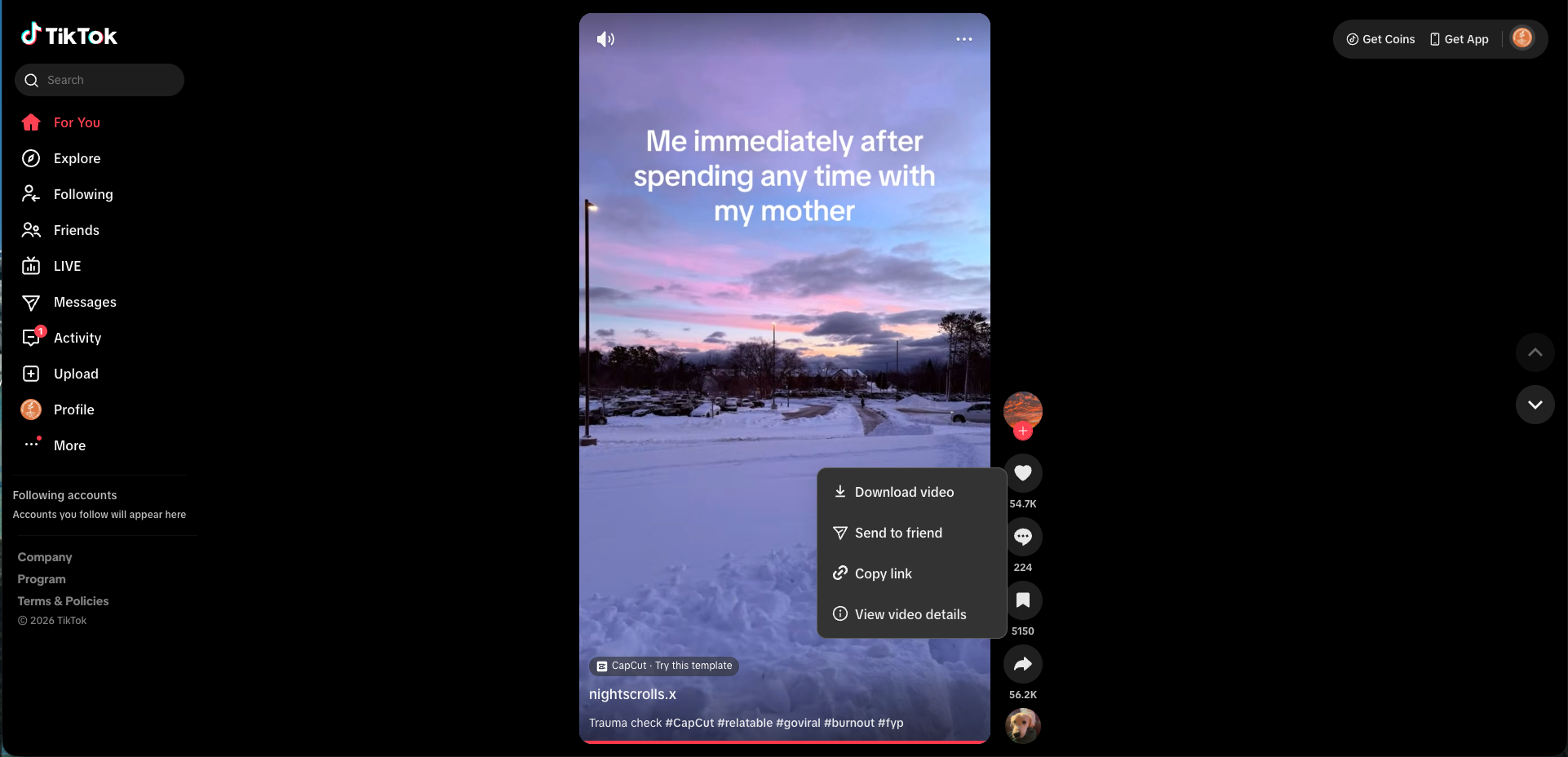
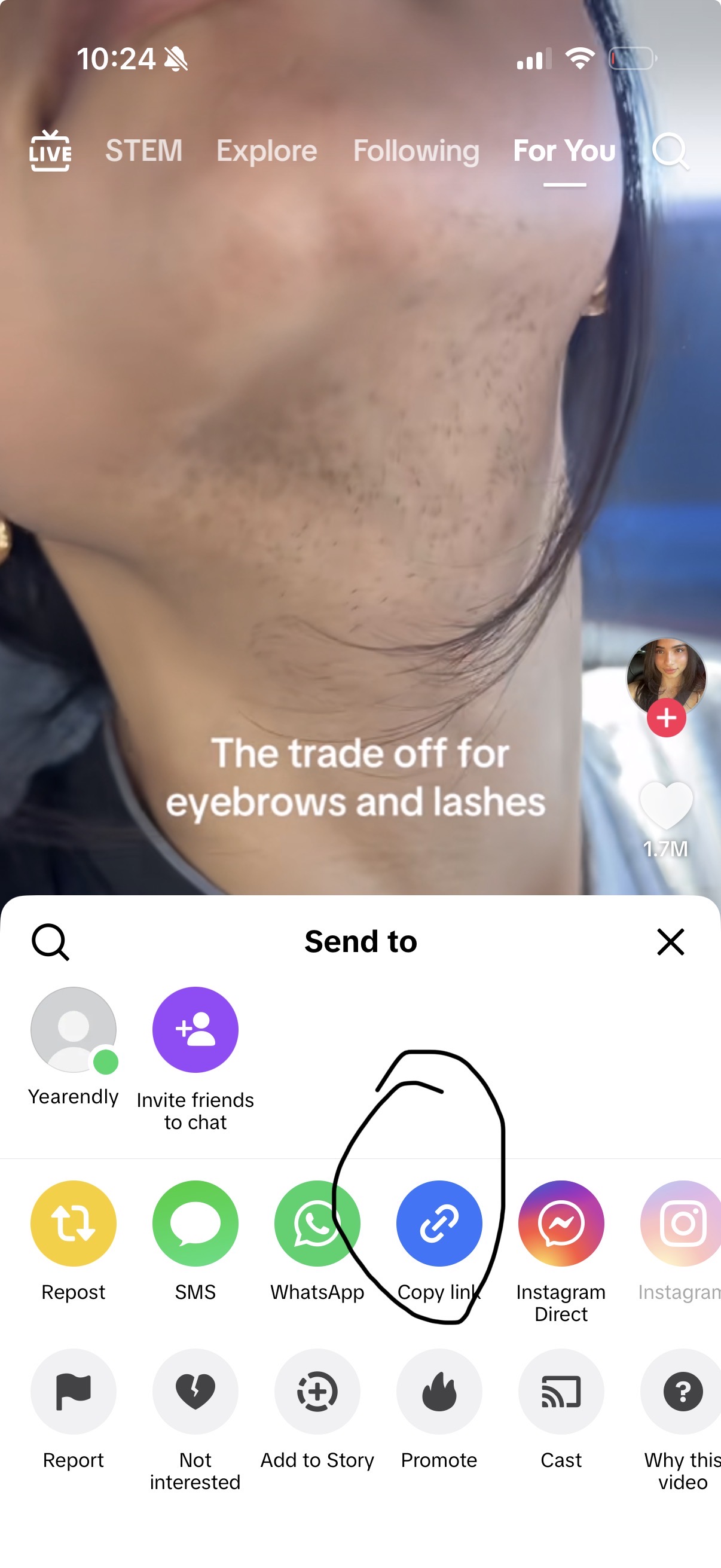
Open TikTok and find the video you want. Click the Share button and select Copy Link. Here's how it looks on different devices:
Desktop / Web
Mobile - Find Share

Mobile - Copy Link
Step 2: Paste into InDownload.video
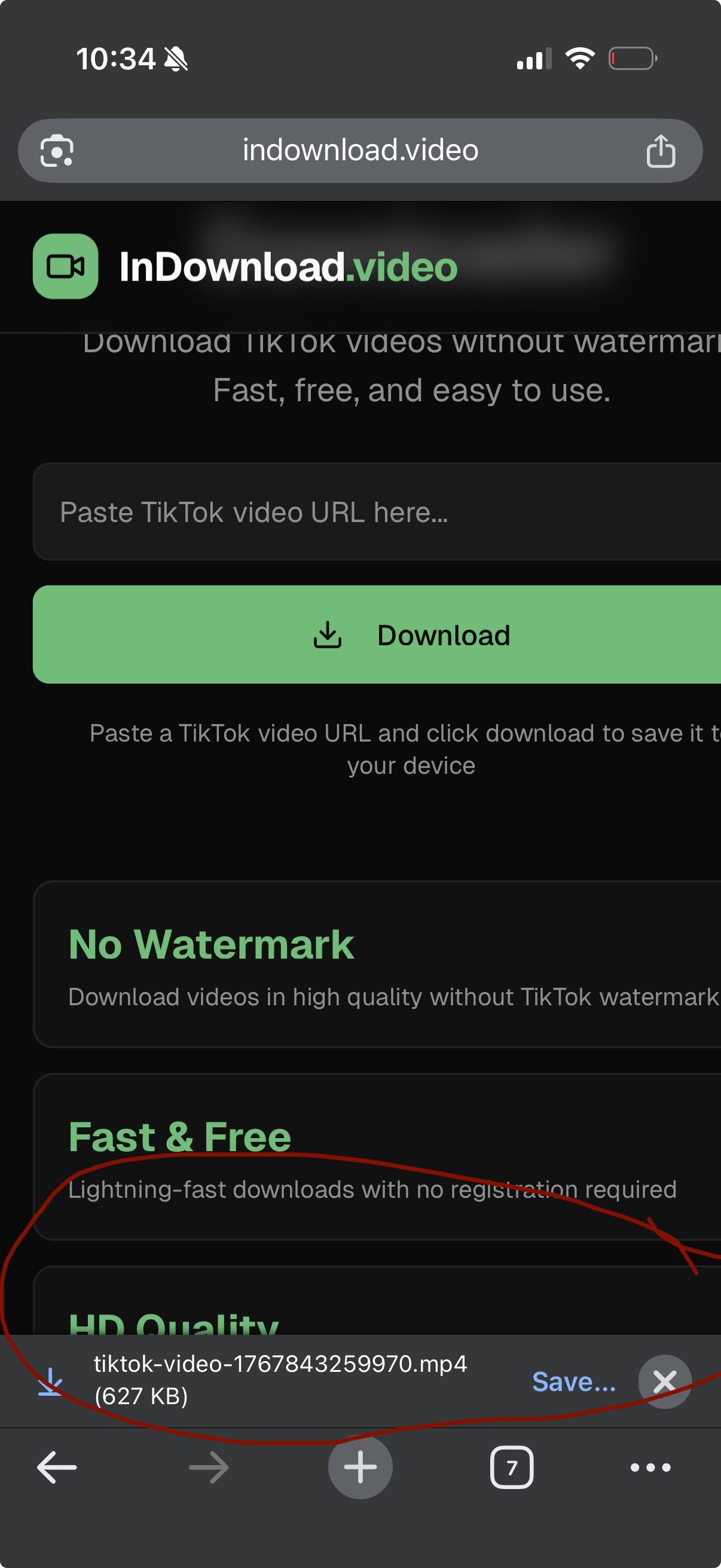
Open your browser and go to InDownload.video. Paste the link into the box and tap Download. Here's what it looks like:
Desktop / Web

Mobile - Download Result
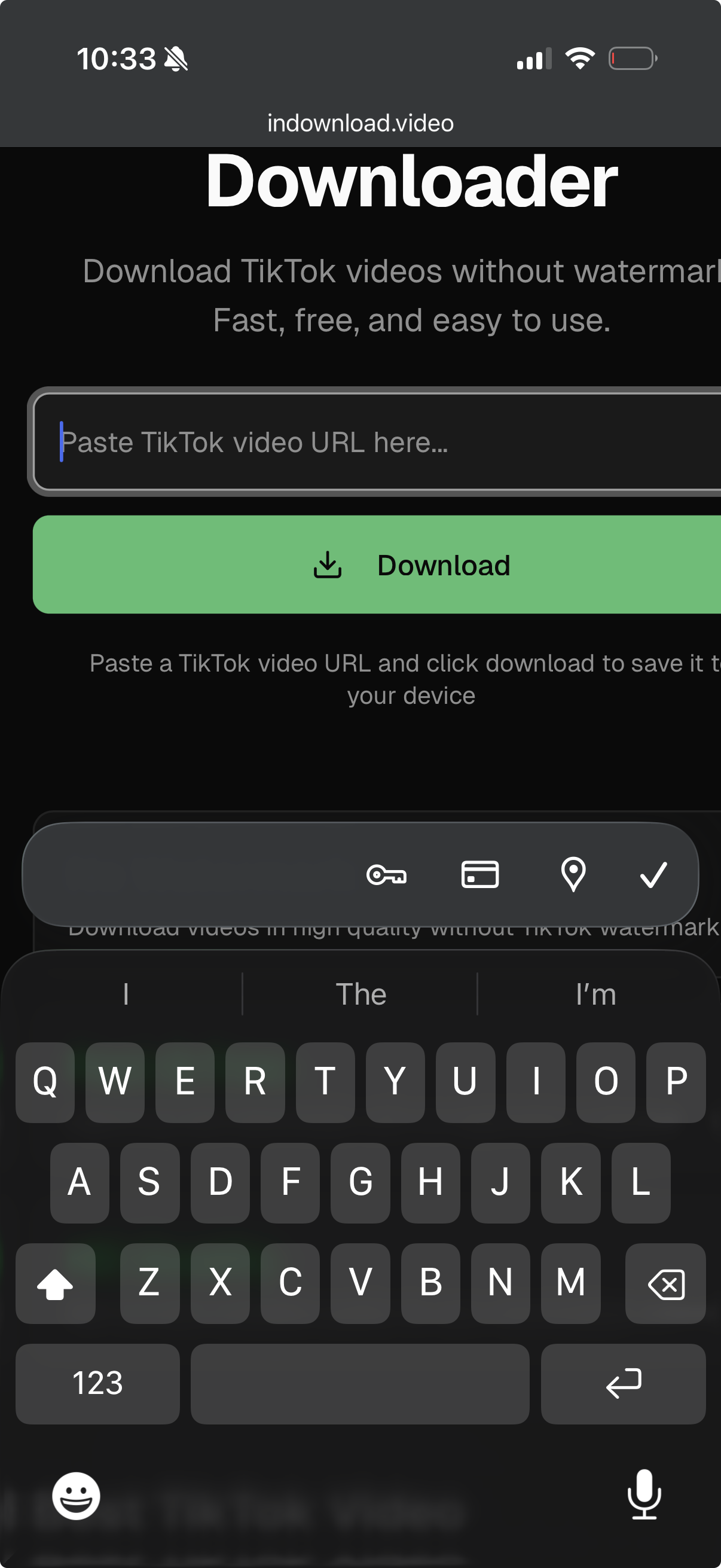
Mobile - Paste URL
FAQ: Common iPhone Download Questions
Where do downloaded TikToks go on iPhone?
By default, Safari saves files to the "Downloads" folder in your iCloud Drive or "On My iPhone" inside the Files App. You must manually open the file and click "Save Video" to move it to your Photos app.
Is it free to use specific shortcuts?
Some Shortcuts (iOS automation) exist, but they often break when TikTok updates its API. Using a web-based saver like InDownload.video is more reliable because we update our servers daily.
Why is the video quality low?
If you screen-record a TikTok, you lose quality. By using our tool, you extract the original MP4 source file, ensuring HD resolution is preserved.
Ready to Save Your Favorites?
Start archiving your favorite TikTok moments today with the fastest downloader on the web.
Go to Downloader